Configure tax exemption
1
Find the customer
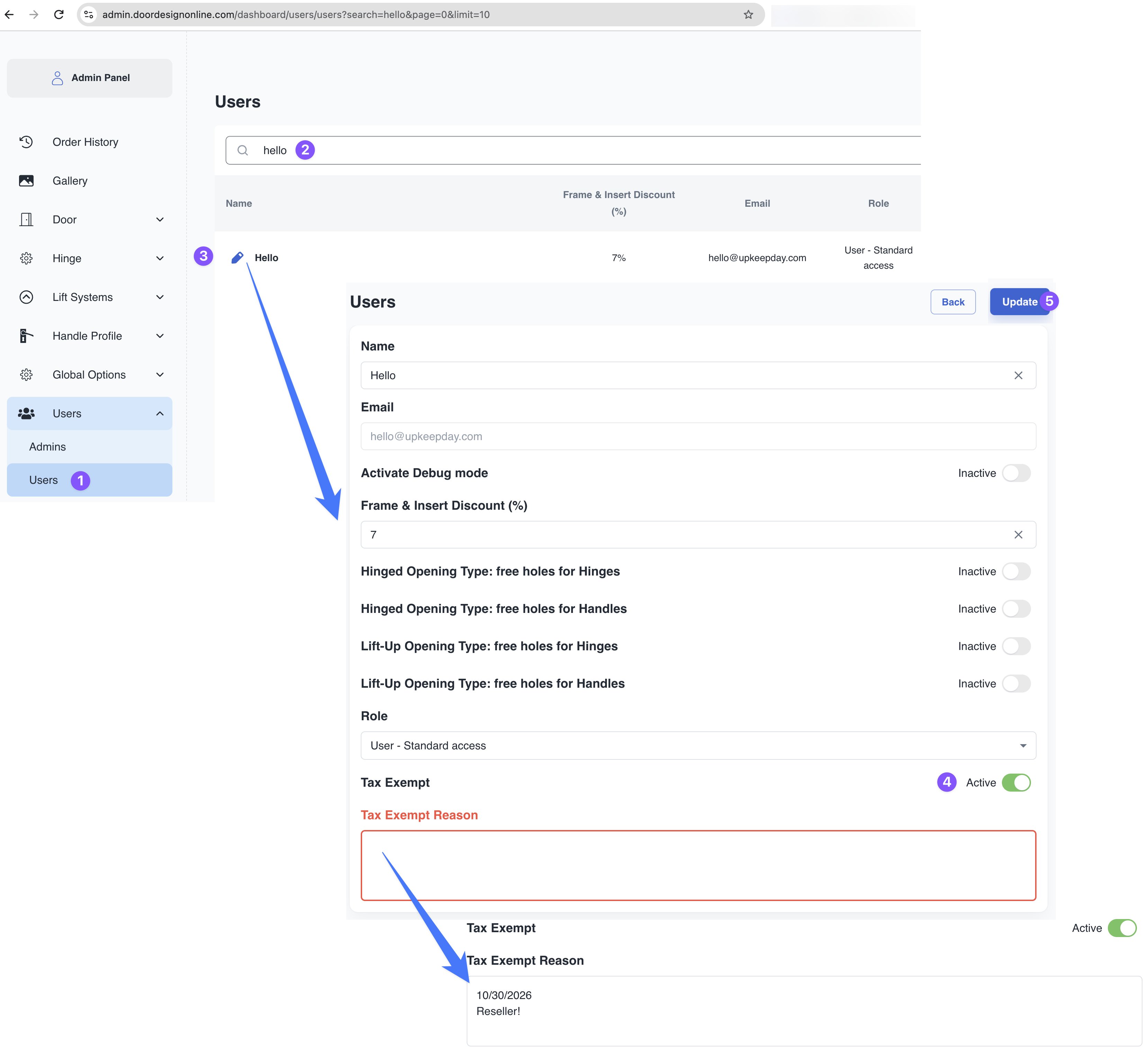
Go to Admin Panel → Users → Users. Search for the customer and click the pencil icon to edit their account.
2
Enable the exemption
Switch Tax Exempt to Active and enter a Tax Exempt Reason.
3
Save
Click Update to save the customer’s settings.
Effect on the shopping cart
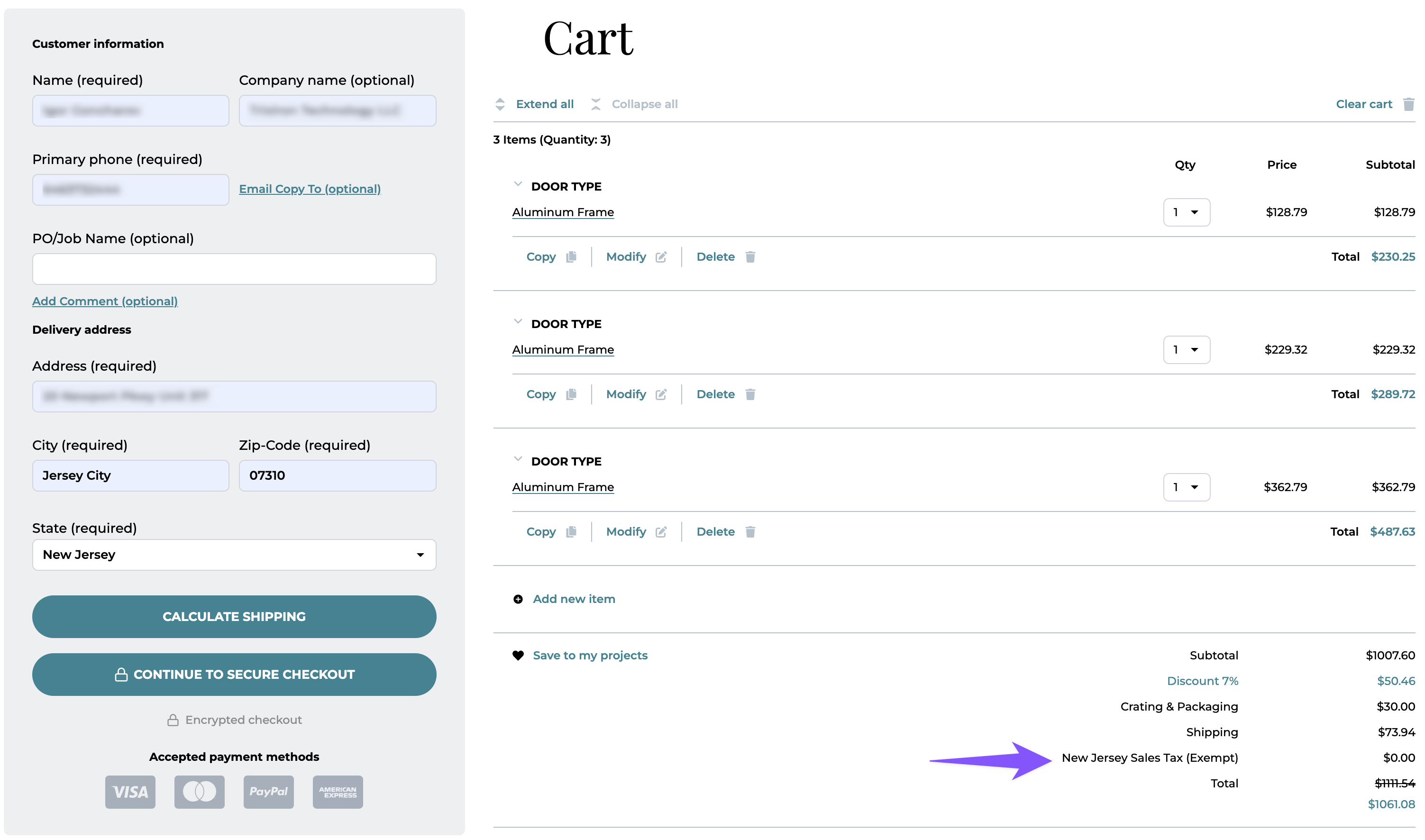
For the tax-exempt customer in the example, the cart displays New Jersey Sales Tax (Exempt): $0.00, instead of the regular 6.625% sales tax.