

Configure reminders
Open Admin, or go to Admin Panel → Global Options → Abandoned Cart Emails.1
Set the number of reminders
Enter the total number of emails in Number of reminders. For example, enter
3 to configure three reminders.2
Set the timing for each reminder
Enter the delay for each Reminder (hours) field. Each value is the number of hours since the last change to the cart, not the number of hours since the preceding reminder.
3
Save
Click Save to apply the configuration.
Example reminder schedule
With the settings shown in the example, three reminders are scheduled at these intervals after the last cart change: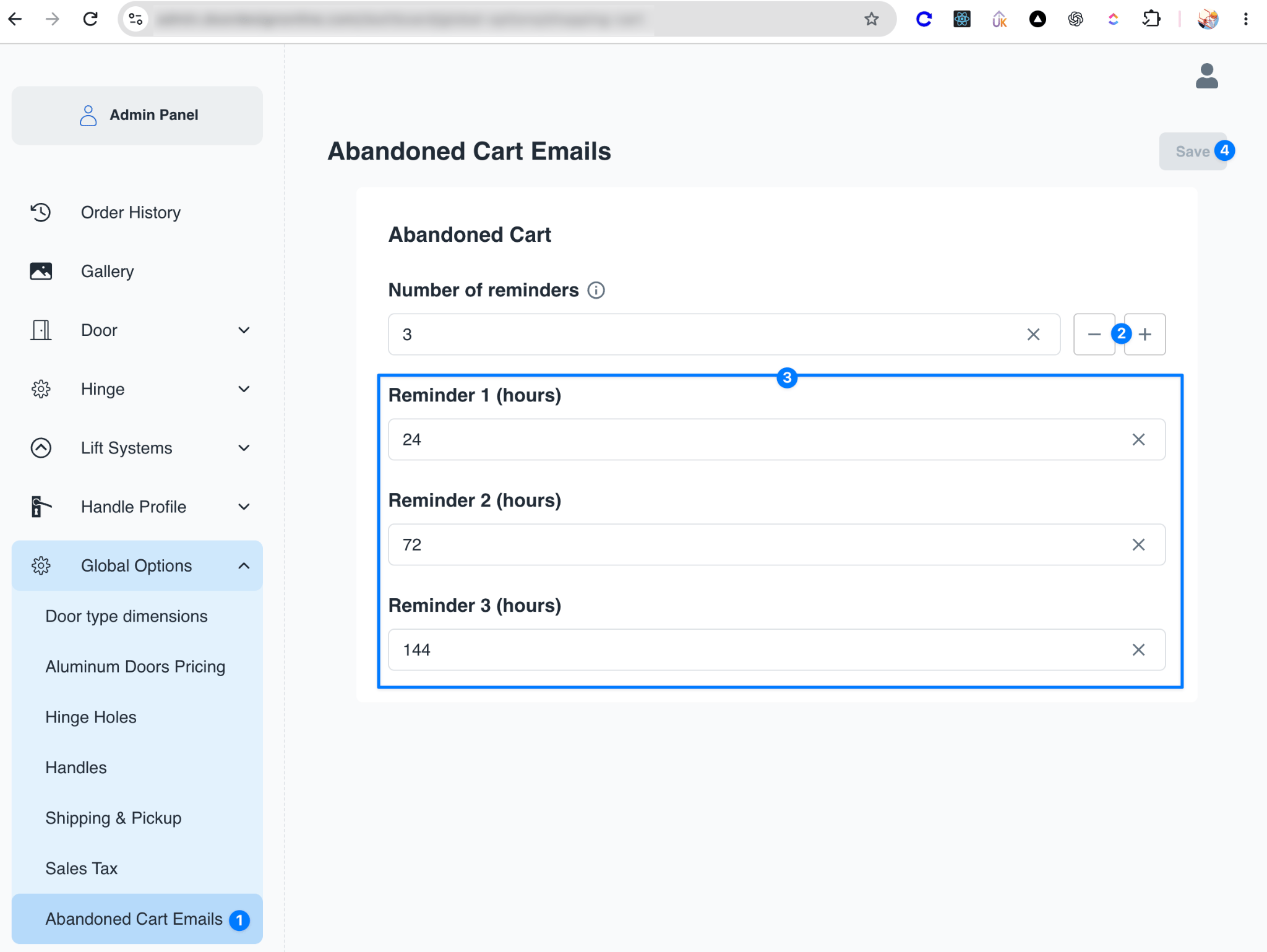
Disable abandoned cart emails
To stop sending abandoned cart reminder emails, set Number of reminders to0 and click Save.