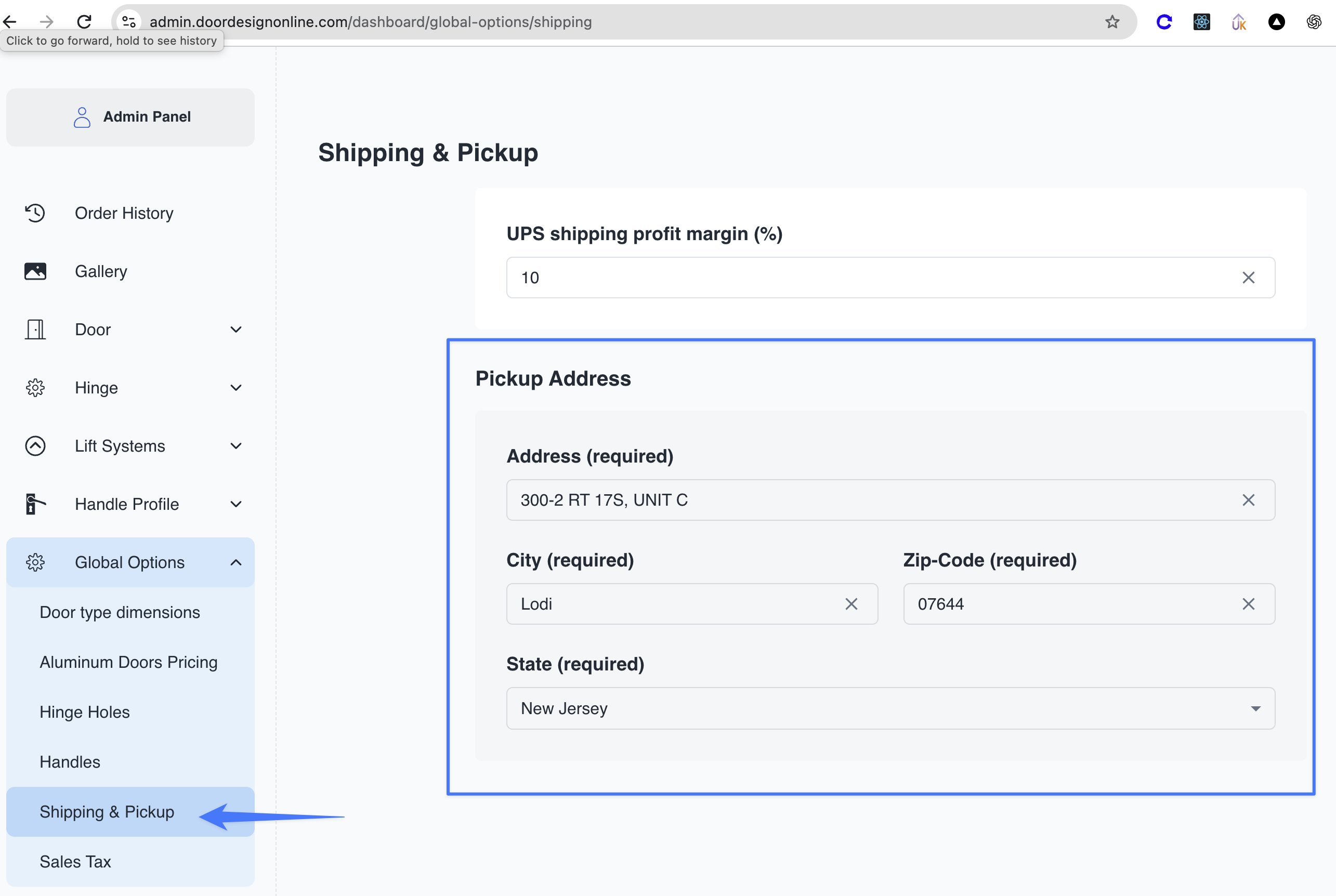
- Open Global Options → Shipping & Pickup.
- Under Pickup Address, edit the Address, City, Zip-Code, and State fields shown in the first screenshot.
- Save the changes using the page’s save control, if provided—it isn’t visible in the screenshot.
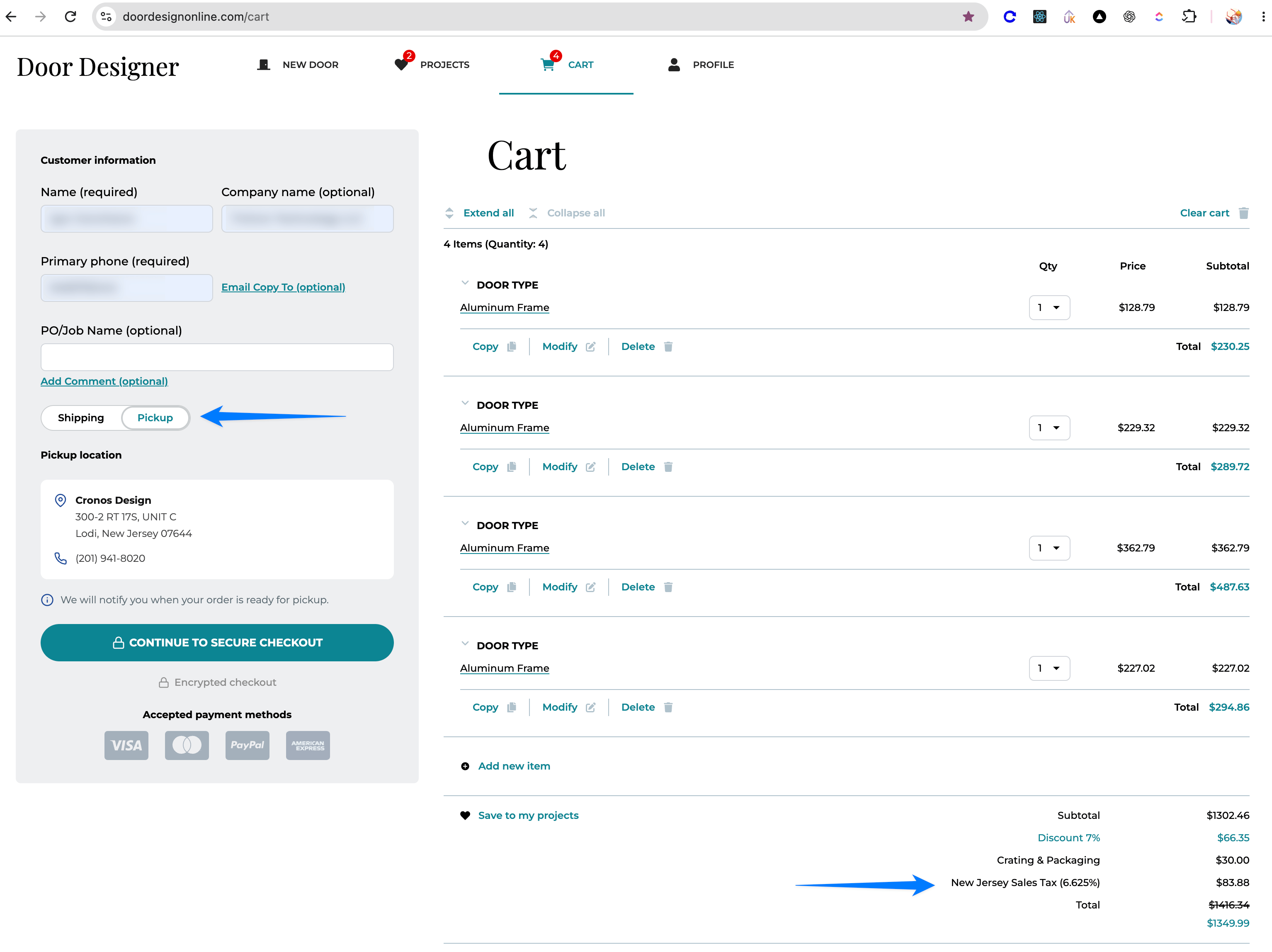
Cronos DesignThe company name and phone number are also displayed, but their editing controls aren’t shown here. The cart also shows a New Jersey Sales Tax (6.625%) line. The screenshots don’t establish whether changing the pickup state automatically updates the tax; check Global Options → Sales Tax separately if the location changes to another state. Applicable sales tax will appear in the order summary unless the client is Tax Exempt.
Your updated street address
City, State ZIP
(201) 941-8020