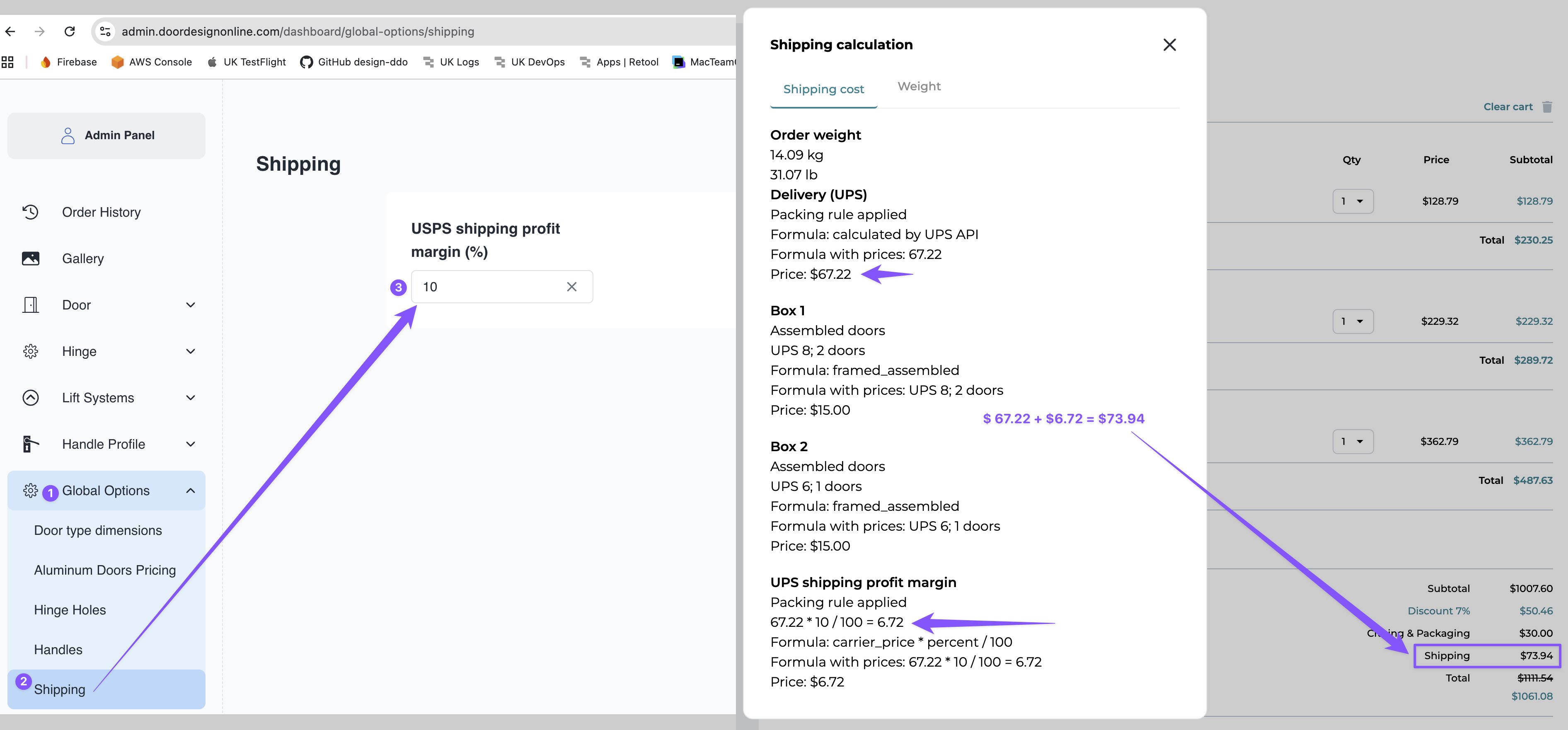
Configure the margin
1
Open Shipping
In the Admin Panel, go to Global Options → Shipping.
2
Enter the margin
Set UPS shipping profit margin (%) to the desired percentage. For example, enter
10 for a 10% margin.How it affects the cart
The shipping calculation example shows a carrier rate plus a 10% margin:
Formula: $67.22 + ($67.22 × 10%) = $73.94, rounded to cents.